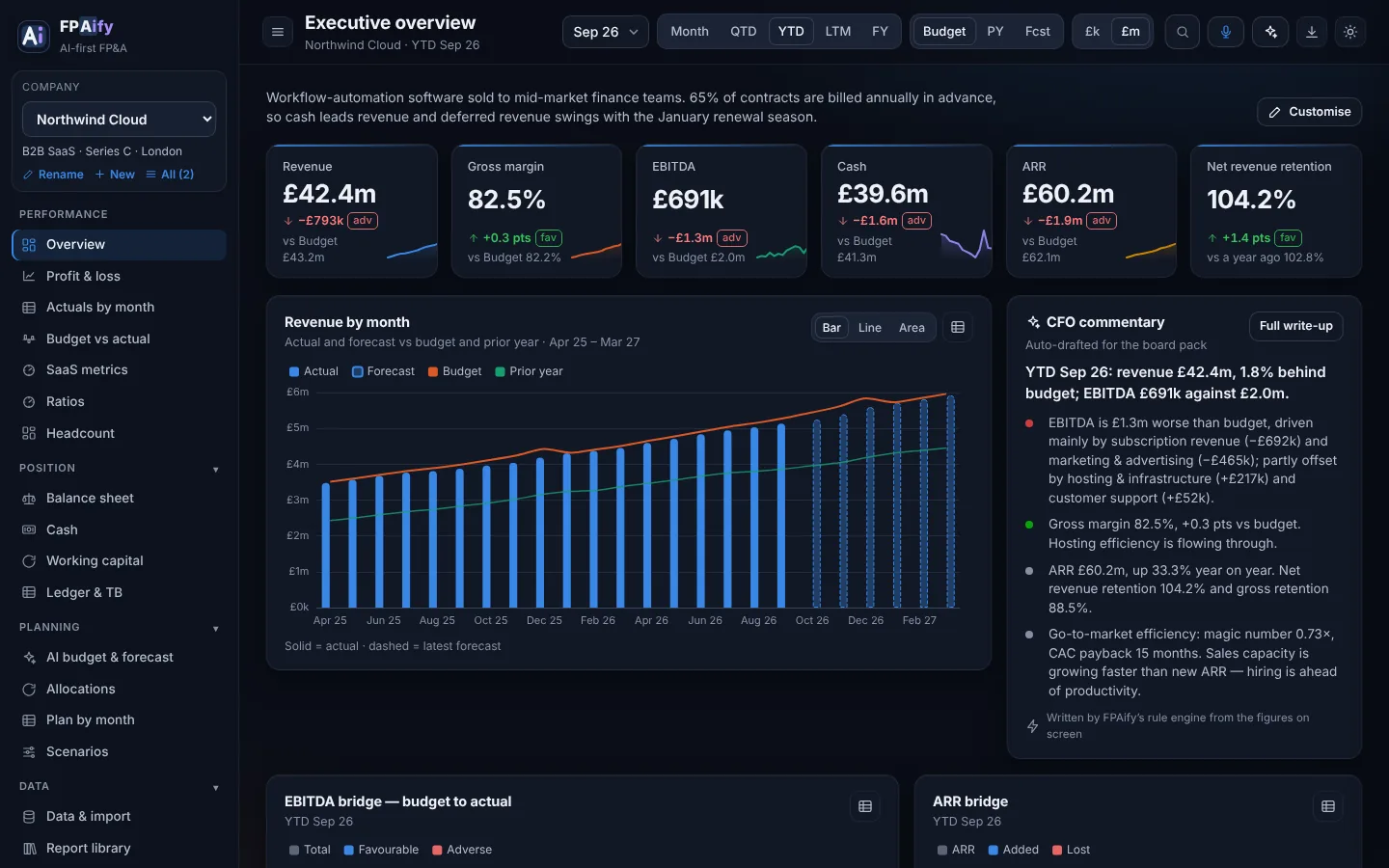
Executive overview
KPI tiles and a board you arrange yourself — drag, resize, add and remove widgets.
The AI-first FP&A tool for CFOs, FP&A analysts and management accountants
FPAify /ˌef.piːˈeɪ.ɪ.faɪ/ verb — to turn raw finance data into planning and analysis, with AI doing the heavy lifting.
Any system, any layout: Sage, Xero, QuickBooks, NetSuite, an Excel model or a spreadsheet someone built years ago. FPAify’s AI works out what each file is, maps and reconciles every line, builds your budget and forecast, takes instructions by voice and drafts the board pack. No templates, no connectors. And for a first-time owner, when planning feels chaotic, it keeps everything in order.
The demo runs on two fictional companies — a SaaS scale-up and a 70-store retailer — so you can click through every view straight away.
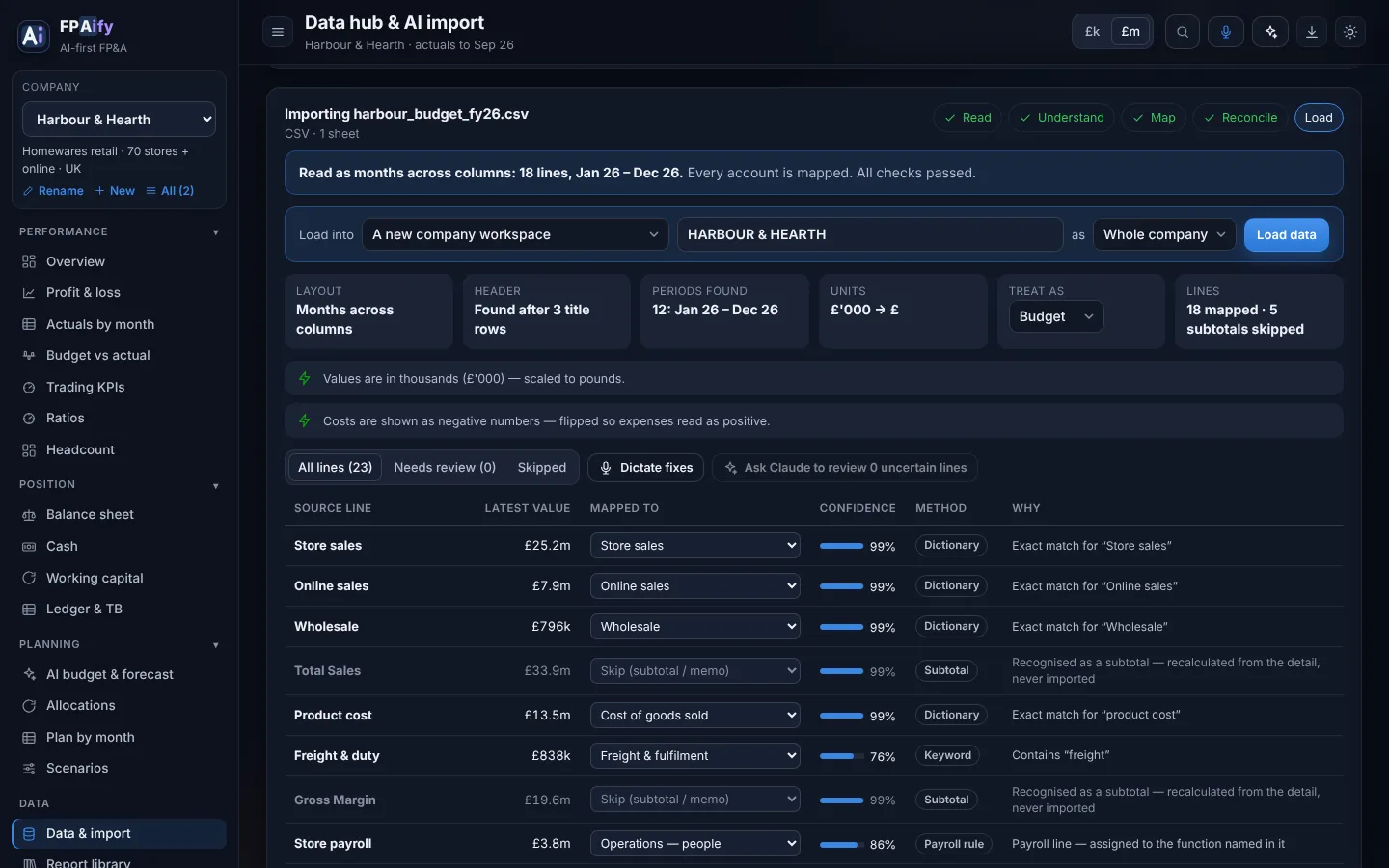
AI import · any format
You don’t need a particular system or a template. Sage and Xero layouts are recognised instantly, but FPAify isn’t limited to them: the AI reads whatever you have. Title rows, months across or down, costs in brackets, figures in thousands, year-to-date balances, subtotals everywhere, ledgers grouped by account. It handles all of it and shows its working.
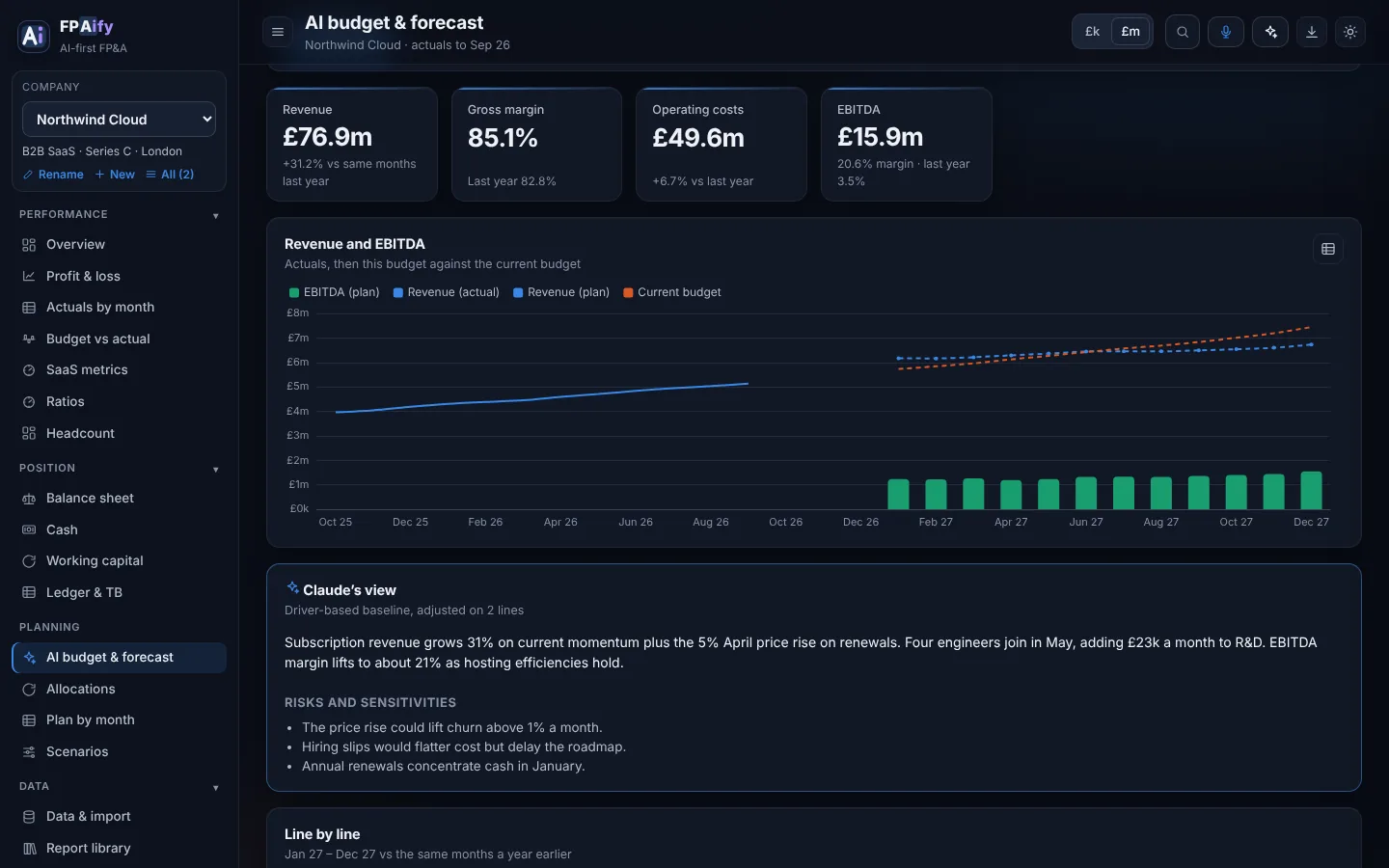
AI-aided budgeting & forecasting
Pick a horizon: next year’s budget, a reforecast to the year end, or a rolling 12 or 18 months. Pick the method finance teams actually use, or simply describe what you want. FPAify projects every line from your history, and Claude adjusts it to your instructions and explains each change.
Built around your structure
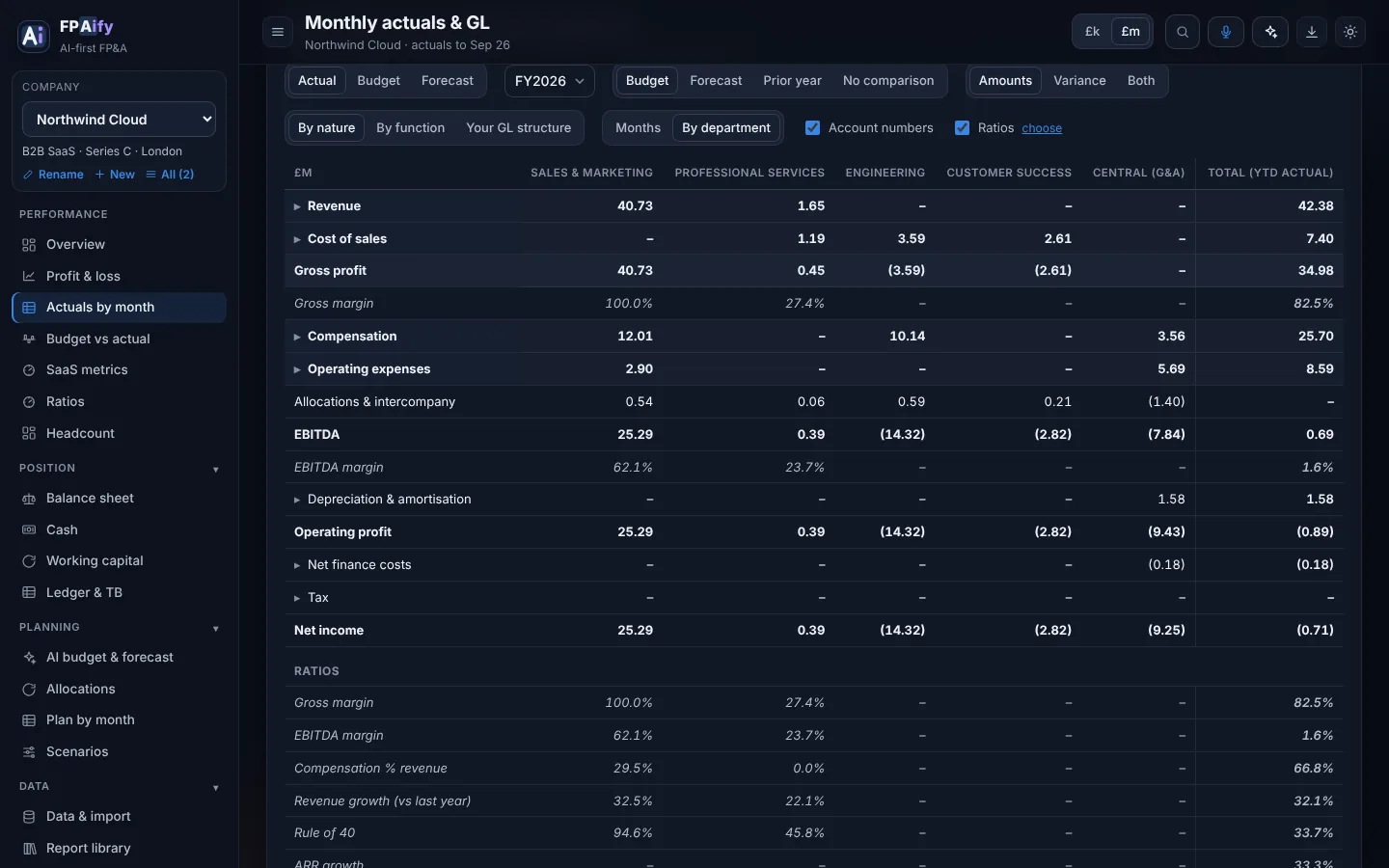
No two charts of accounts are alike. FPAify reads the structure that’s already in your data: department or cost-centre columns, entity and branch codes, tracking categories, your own account groups, intercompany accounts and subledgers. The AI fills in whatever the file doesn’t say.
Dictate
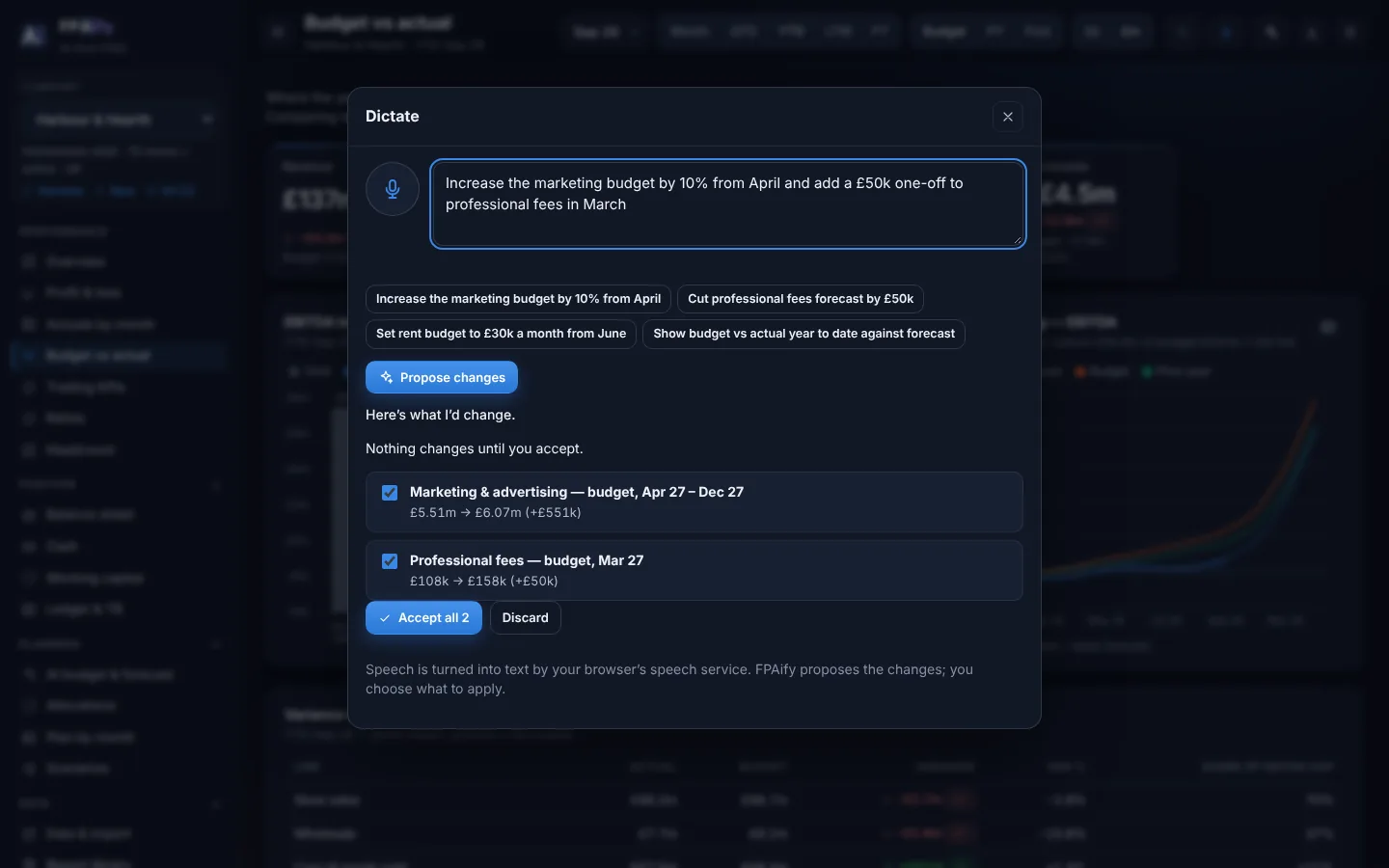
Press the microphone and talk to your numbers. FPAify turns what you say into proposed changes, shows you the before and after, and applies only the ones you accept, with one-click undo.
Nothing changes until you accept. Works in Chrome, Edge and Safari; you can always type instead.
One template, every view
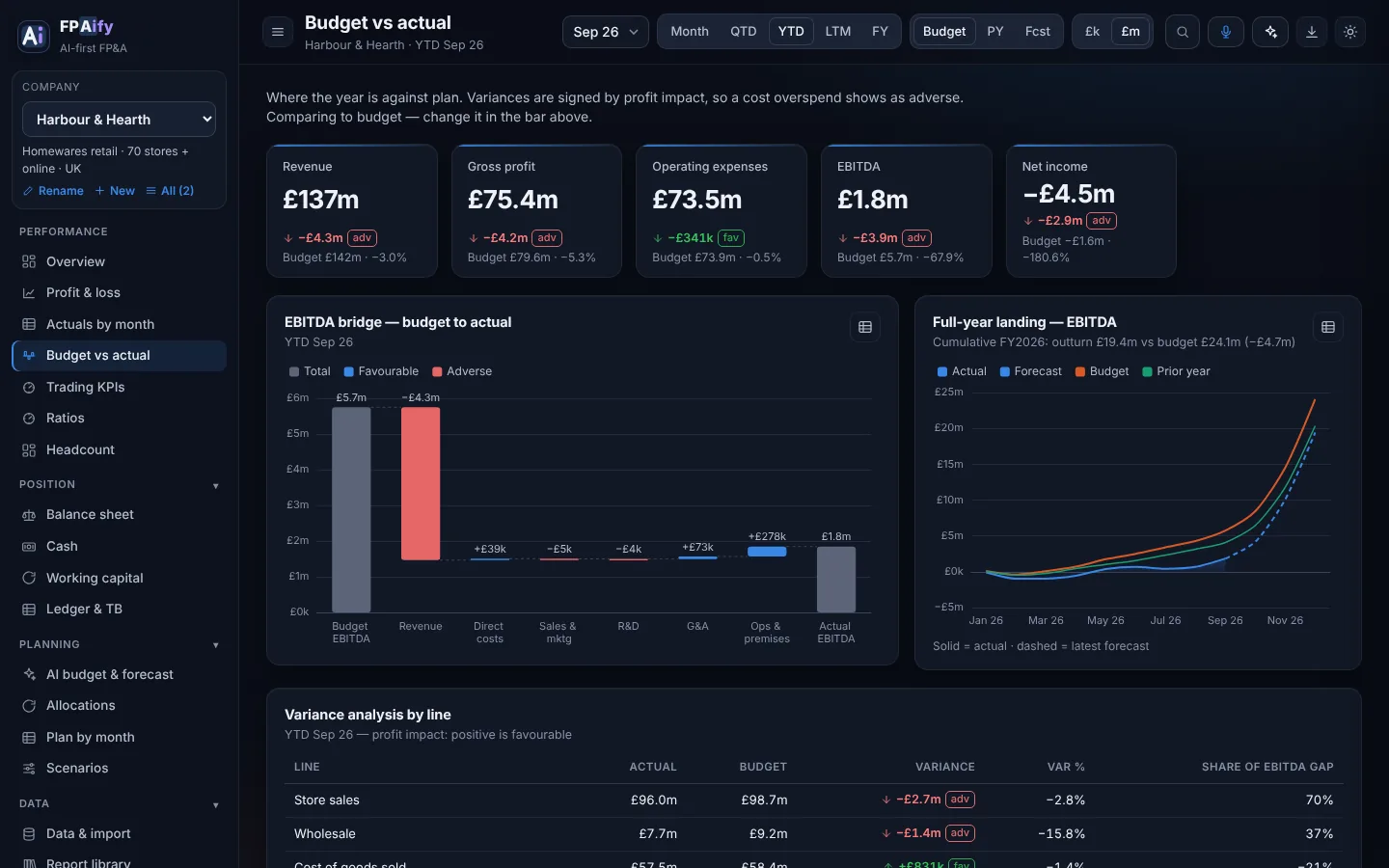
Because every source lands in the same standard template, every company gets the same board-ready views — switchable by month, quarter, year to date, last twelve months or full year, against budget, last year or forecast.
KPI tiles and a board you arrange yourself — drag, resize, add and remove widgets.
Drill-down statements, an EBITDA bridge, variances ranked by profit impact and a month-by-line heatmap.
Monthly actuals side by side against budget, forecast or last year; click any account’s month to see its postings and journals.
Cash bridge, indirect cash flow that ties to the bank, a 13-week forecast, runway or facility headroom.
Debtor, stock and creditor days, and a calculator that puts a £ value on each day saved.
ARR bridge, net and gross retention, magic number, CAC payback, burn multiple and Rule of 40.
Like-for-likes, channel mix, conversion, stock position and markdown for multi-site retail.
One-click Excel workbook with every statement, CSVs for Power BI, and a board pack laid out for PDF.
Scenarios
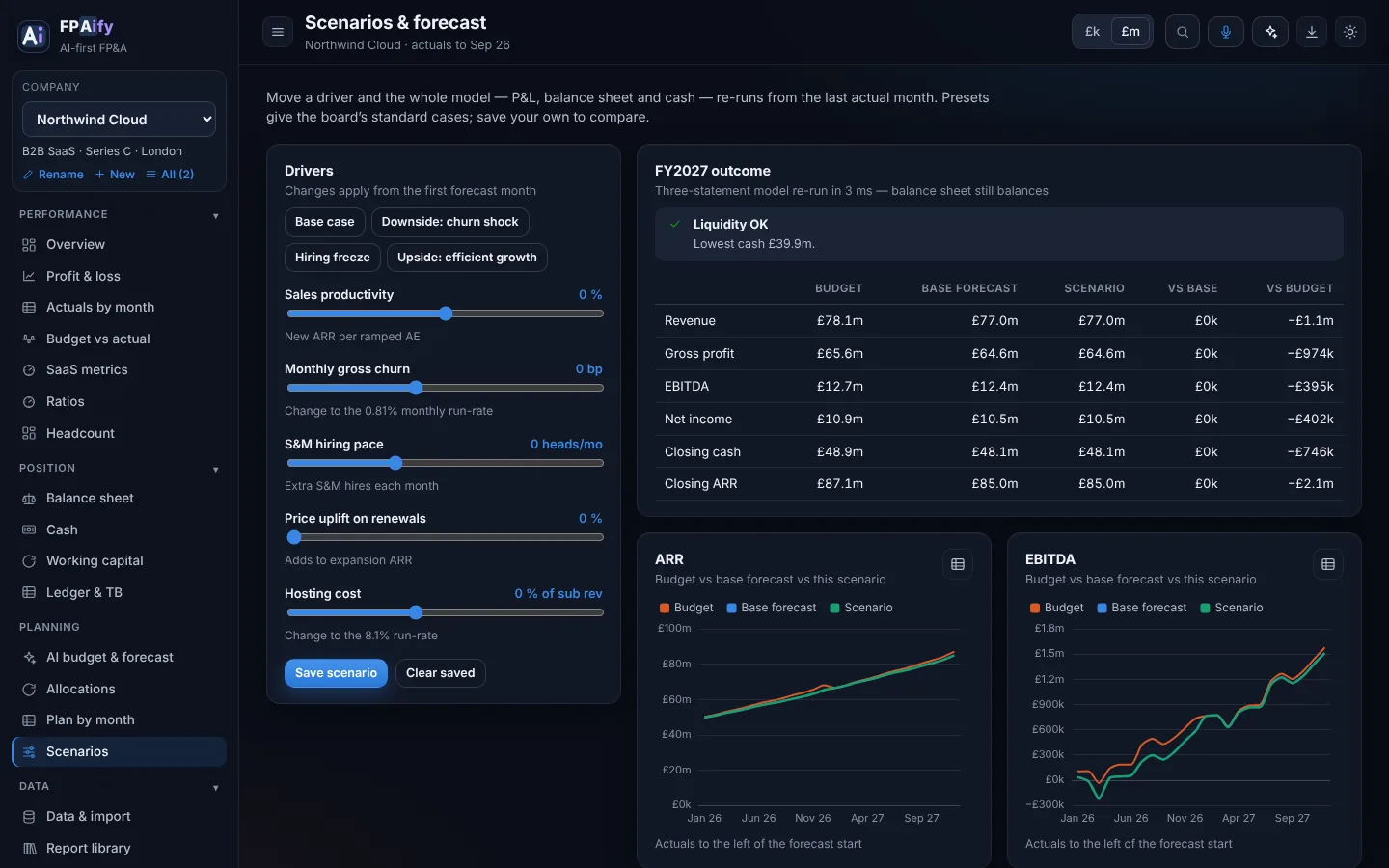
Scenarios run on a driver-based model, not a percentage flex. Change sales productivity, churn, like-for-like growth or freight costs and the P&L, balance sheet and cash flow re-run together in milliseconds — with a liquidity warning when cash or facility headroom gets tight.
Commentary & questions
FPAify drafts the commentary from the figures on screen — the headline, the variance drivers, cash and liquidity, operating KPIs and suggested actions. Ask a question in plain English and get an answer quoting the numbers.
Claude only ever sees the figures on screen, never your raw files. Without AI switched on, a built-in rule engine writes the same structure.
Answers from the Harbour & Hearth demo company, YTD September 2026.
How it works
Drop in the files you already produce: P&L, balance sheet, trial balance, budget, KPIs.
See what each line was mapped to and why. Fix anything in one click.
Totals, balance-sheet and cash checks run before anything reaches a dashboard.
AI budget and forecast, variances, cash, KPIs and commentary — adjusted by voice, ready for the board.
Who it’s for
A credible monthly pack and a forecast you can defend, without waiting on BI.
Budgets, rolling forecasts and variance analysis in hours, with every assumption written down.
Ledgers mapped, reconciled and drillable to the posting. Fix a mapping by voice and move on.
When planning feels chaotic, FPAify keeps it orderly: a plain-English budget, cash runway and what to do next.
FPAify Pro
FPAify puts AI inside FP&A. The plan is for owners who find financial planning chaotic: the same pack, worked through the same way, every month. Priced in pounds.
£100 / month
£25 one-off
Signing up, uploads, Excel, CSV, board packs and the built-in rule engine do not need a card. Claude does.
FAQ
AI does the work a finance analyst would otherwise do by hand: reading unfamiliar files, mapping accounts, drafting the budget and forecast, writing the commentary and acting on what you say. Every step shows its working and you approve the changes, with built-in checks that the numbers still balance.
FP&A with AI inside: FP(AI)fy. The A is shared because the AI sits inside planning and analysis rather than bolted on. To FPAify your numbers is to turn whatever exports you have into a budget, a forecast and a board pack.
Yes. Choose a horizon and a method, add any instructions, and FPAify builds every income statement line from your history; Claude adjusts it to your instructions and explains each change. You review it line by line and save it as your budget or forecast.
Your browser turns speech into text; FPAify (with Claude, when connected) turns the text into proposed changes: remapping accounts, answering what the import couldn’t decide, or adjusting the budget and forecast. You see each change with its before and after, accept the ones you want, and can undo them.
No. Northwind Cloud and Harbour & Hearth are fictional, generated by a driver-based model so the balance sheet balances and the cash flow ties every month. The story in the numbers — a churn spike, a wet summer, a tight revolver — is there so the views have something to explain.
Yes — open the demo’s Data hub and upload a CSV, Excel or JSON export. In the demo, files are read in your browser and kept there; nothing is uploaded to us.
Yes. Flat journal-line exports and grouped “GL detail” reports both work: it finds the date, account, amount and reference columns, takes accounts from header rows where needed, uses opening balances, checks that every journal balances, and keeps every posting for drill-down. Try the Kestrel Coffee Roasters ledgers in the demo’s Data hub.
Yes. FPAify picks up entities, business units, departments, branches, projects and tracking categories from columns in your exports or from how your accounts are set up, and keeps your own account groups. Every statement can be viewed for the whole group or any part of it, side by side, with allocations between them and intercompany checked to eliminate.
No. FPAify reads data from any system and in any layout: anything that exports to CSV (any delimiter), Excel (.xlsx), JSON or plain text. It knows Sage and Xero layouts and nominal-code ranges out of the box, and the AI works out everything else: QuickBooks, NetSuite, Dynamics, bespoke ledgers, budget packs with subtotals and brackets, trial balances with debit/credit columns, Excel models and CRM or EPOS extracts.
Only what’s needed for the task: the account names and a few sample values when it reviews a mapping, or the summary figures on screen when it writes commentary or answers a question. It is never sent your raw files.
FPAify Pro is £100 a month. It turns on Claude: Ask, Dictate, import review, commentary and AI budgets and forecasts, with 1,000 Claude calls and 100 AI reports each billing month. Extra credits are £25 for 500 AI calls and 50 AI reports. Accounts, uploads, Excel, CSV, board packs and the built-in rule engine stay free.
No. FPAify starts from the exports you already produce for month end.
Yes. Export an Excel workbook with every statement, CSVs of each, or a board pack as a PDF.
Click through the live demo now, or get access for your own company.